




 23:41
23:41

after for a while i did't update this blog, now let's learn simply way to cut or split part using curve, then delete unwanted part and unite some part.
Split Body Icon
by using this icon, we can divide body part using two line, plane, parallel plane, curve and diameter of cylinder.
i was captured my screen using free software"auto screen recorder 3" this software is easy to operate and free, although there is no editing tool at those software.
below is video that i upload in veoh, by looking this video you can also see step by step to split part, delete unwanted part and unite other part.
Online Videos by Veoh.com
step by step to split an part :
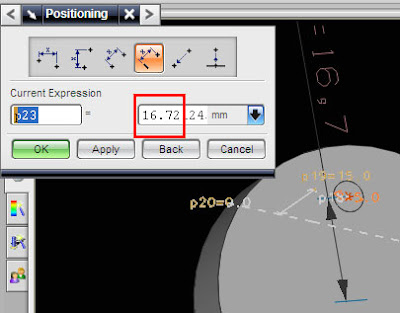
1. select split body icon.
2. select the part.
3. define the plane (choose cylinder).
4. choose arc / circle.
5. select the arc of cylinder.
6. click ok.
7. select other object to repeat the operation or cancel to finish split operation.
try using other part and cylinder or hole.
Split Body Icon
by using this icon, we can divide body part using two line, plane, parallel plane, curve and diameter of cylinder.
i was captured my screen using free software"auto screen recorder 3" this software is easy to operate and free, although there is no editing tool at those software.
below is video that i upload in veoh, by looking this video you can also see step by step to split part, delete unwanted part and unite other part.
Online Videos by Veoh.com
step by step to split an part :
1. select split body icon.
2. select the part.
3. define the plane (choose cylinder).
4. choose arc / circle.
5. select the arc of cylinder.
6. click ok.
7. select other object to repeat the operation or cancel to finish split operation.
try using other part and cylinder or hole.


